

For people who need IT to work
Ask for help with an access problem or find the onboarding process. Operator looks for relevant information and helps you move forward.
Oviera · Your AI IT Operator
A report for your manager. An answer for your colleague. A way forward for your IT team.
Oviera brings you Operator: one AI contact for day-to-day IT, by chat or voice. It brings together current information, organizational knowledge and specialist agents to help people get answers and get work moving.
The starting point is a conversation. Operator works out which information, knowledge and specialist help the person needs.
Ask for help with an access problem or find the onboarding process. Operator looks for relevant information and helps you move forward.
Describe an infrastructure issue. Operator asks specialist agents for current information and Keeper for historical context.
Request a report or an explanation. Operator coordinates the information needed for the question and the period you ask about.
A single evidence path for change, policy, endpoint, and service signals.
They know the systems, remember the changes and know where to look. Oviera brings that kind of help into everyday conversations.

Know-how
The process exists, but finding the right document or person becomes a task of its own.

History
The current configuration shows one part of the story. Understanding the earlier setup can change the investigation.

Support
A user reports an access issue. The next step depends on whether it is an individual problem, a known issue or a wider incident.
Ask in your own words. Operator coordinates the information and help behind the conversation.
An IT manager asks for a report. Operator requests the relevant permitted information for that period and brings it back to the conversation.
A colleague asks how to get someone started. Operator draws on the organization’s maintained knowledge to explain the process.
Operator checks with the ticketing agent for a wider incident and looks for previous occurrences. It helps the user or connects them to the IT service desk.
Operator asks the relevant agent how things are configured now and asks Keeper how they were configured before. It compares the findings and investigates further.
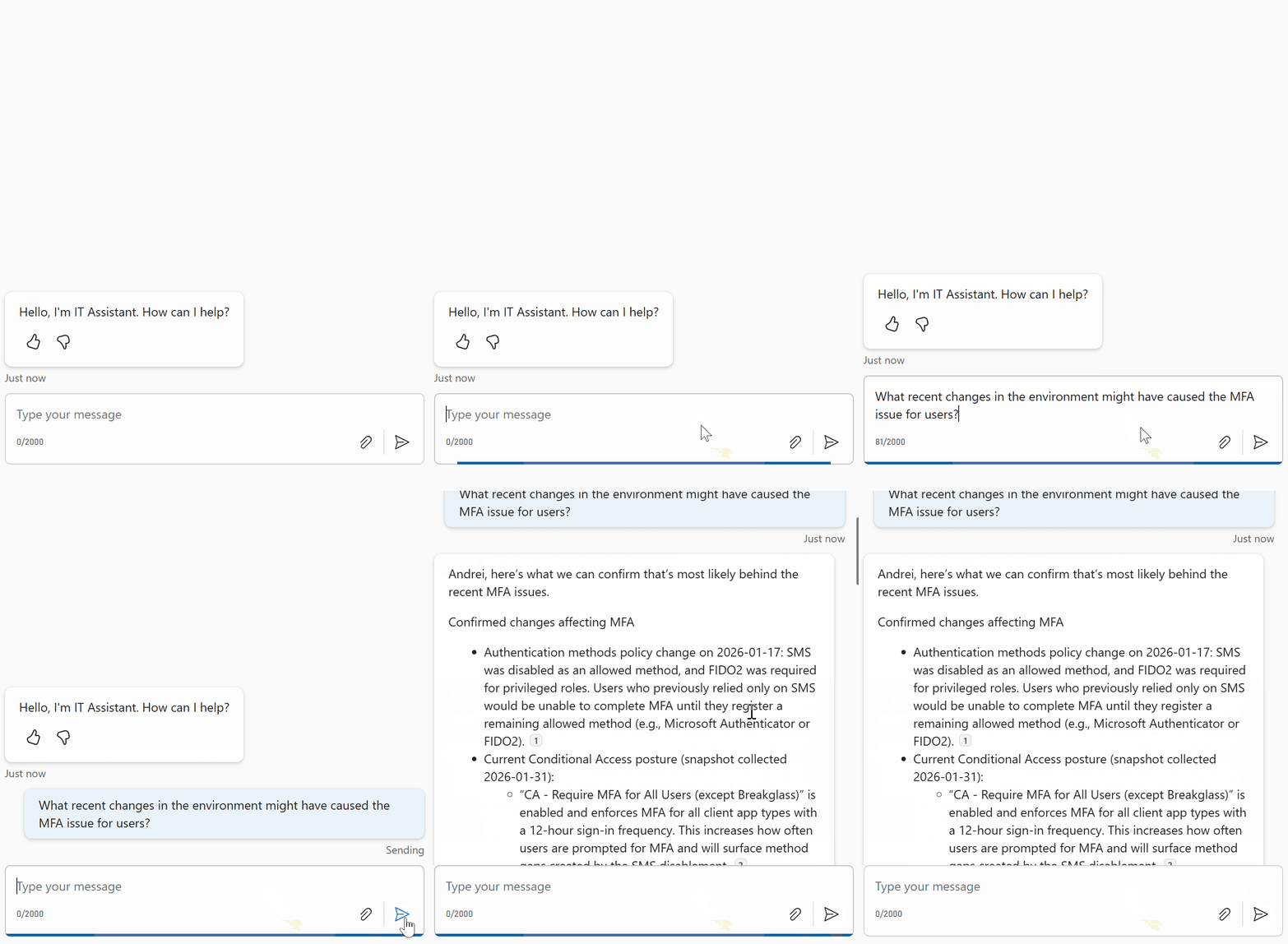
Operator listens, reasons about the request and asks the agents that can reach the relevant systems. People keep talking to Operator as it brings the findings together.
Keeper maintains how the environment was configured and where configurations are stored. It can ask operators to refresh information or retrieve recent policy changes.
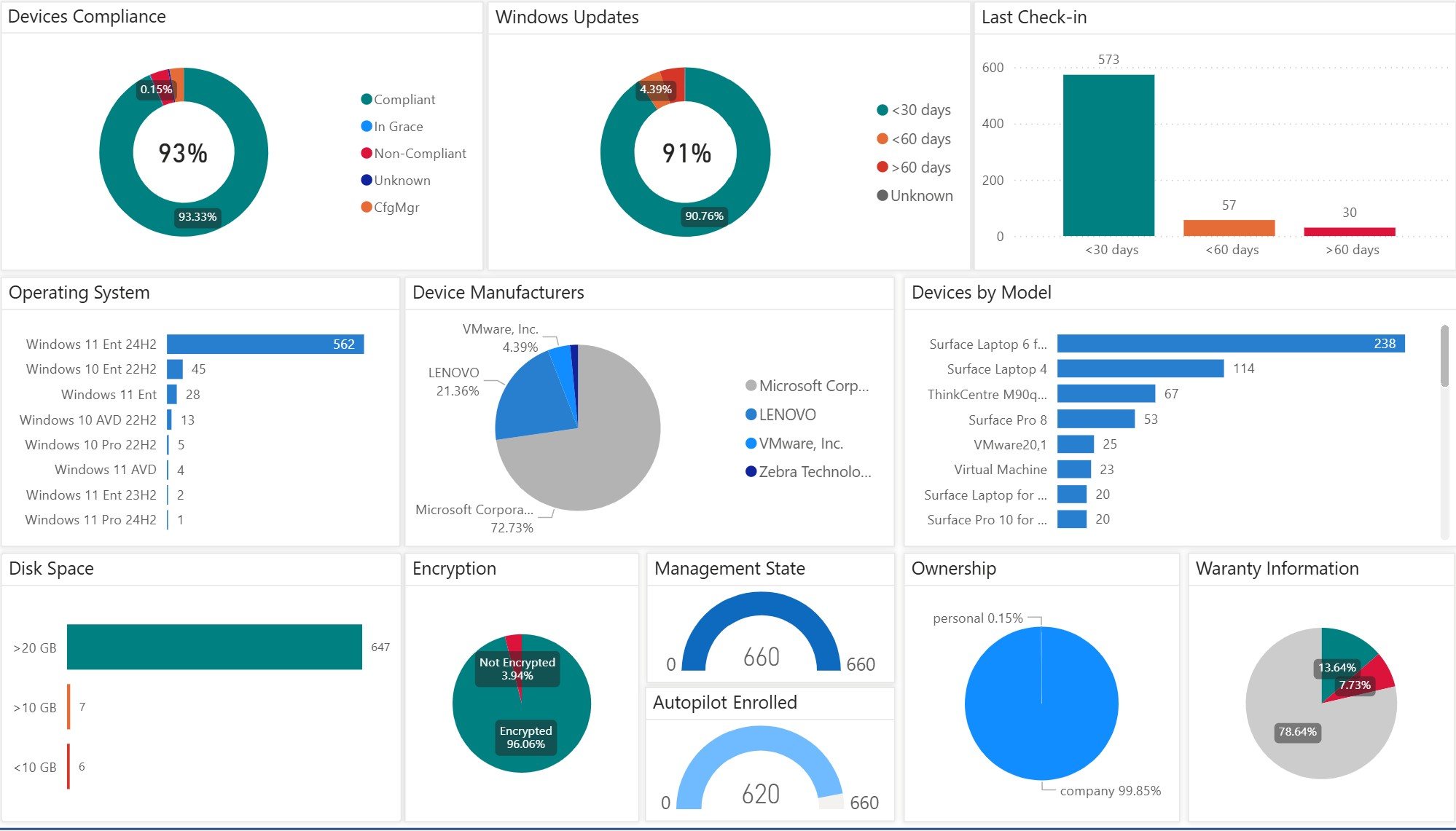

These agents reach the systems Operator cannot query directly. They return current information and can provide task capabilities within the agreed implementation.
Operator connects the information and capabilities needed for the request, while respecting the person’s access.
The infrastructure your support team manages and the current information relevant to a request.
Device state and configuration retrieved through the agents that can access the management systems.
Known incidents, similar reports, previous resolutions and a route to human support.
Organizational knowledge such as onboarding procedures and established ways of working.
Keeper’s maintained view of how things were configured before, alongside refreshed knowledge.
Capabilities for carrying out authorized work, with the necessary checks and human involvement.
Connections, supported actions and access rules are defined and validated for each implementation.
Stay in one conversation while Operator coordinates the systems, knowledge and help behind the answer.
Ask for a report, describe an issue or get help with an IT task. Use chat or voice.
Operator asks specialist agents to retrieve the information your request needs.
Keeper adds configuration history and organizational knowledge to help explain what the agents find.
Operator brings back an answer, coordinates a supported task or connects you to the service desk.
Oviera is introduced through Veles Software and deployed through a tailored implementation with Veles IT Solutions. The work connects the systems, knowledge and responsibilities that matter in your environment. MPA Tools users can explore the approach through the same server and workstation work they handle every day.
Start with a walkthrough. Then connect Oviera to the systems, knowledge and workflows your team relies on.
Choose a report, process, support issue or recurring task from your working day.
Walk through how Operator, Keeper and specialist agents work together to answer questions and coordinate tasks.
Identify the systems, knowledge sources, permissions and workflows to include in your deployment.
Define the initial scope, the people involved and how you will measure useful answers and completed work.
Your deployment scope, integrations and access rules are agreed for your organization.
FAQ
Oviera is an AI IT operations solution built around Operator: a central conversation point for everyday IT questions, reporting, support and work. Operator coordinates specialist agents and draws on knowledge maintained by Keeper.
IT professionals, IT managers and non-IT users can talk to Operator through chat or voice. Information and assistance are governed by each person’s role and access.
Keeper maintains organizational knowledge, including how the environment was configured and where configurations are stored. It can request refreshes and recent changes. Operator can ask Keeper about the past while asking specialist agents for the current state.
No. Operator asks agents with access to the relevant systems to retrieve information. It reasons about their findings alongside Keeper’s knowledge and decides what to ask or do next.
Operator checks for known or widespread issues and previous resolutions, then helps the user or connects them to the IT service desk. Supported tasks and the service-desk handoff are configured for your organization.
Yes. Oviera is available for production deployment through a tailored implementation. Start with a walkthrough to discuss your environment, integrations and rollout.
MPA Tools serves the infrastructure teams supporting servers and workstations. Veles Software introduces Oviera to that audience; Veles IT Solutions provides the tailored assessment, integration and implementation work. They are separate offerings.
Bring a question from your working day. See Oviera in a walkthrough and explore how to put Operator to work in your organization.
Your implementation scope and integrations are agreed separately.


